
Extra Largest Connect Component From Binary Image#
Synopsis#
Extract the largest connected component from a Binary Image.
Results#
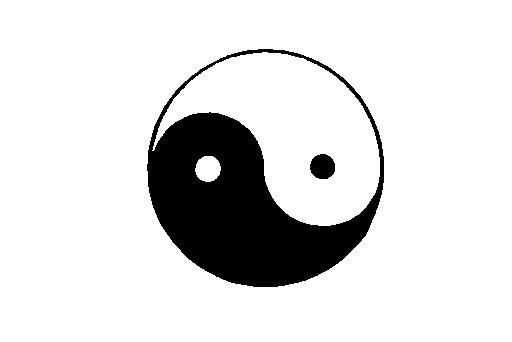
Input image.#
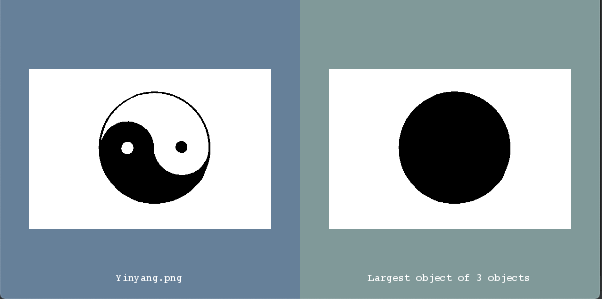
Output In VTK Window#
Output:
Number of objects: 3
Code#
C++#
#include "itkImage.h"
#include "itkImageFileReader.h"
#include "itkConnectedComponentImageFilter.h"
#include "itkLabelShapeKeepNObjectsImageFilter.h"
#include "itkRescaleIntensityImageFilter.h"

#include "itksys/SystemTools.hxx"
#include <sstream>

#ifdef ENABLE_QUICKVIEW
#  include "QuickView.h"
#endif

int
main(int argc, char * argv[])
{
  if (argc < 2)
  {
    std::cout << "Usage:" << std::endl;
    std::cout << argv[0] << " InputFileName" << std::endl;
  }
  constexpr unsigned int Dimension = 2;
  using PixelType = unsigned char;
  using ImageType = itk::Image<PixelType, Dimension>;

  const auto input = itk::ReadImage<ImageType>(argv[1]);

  using OutputImageType = itk::Image<unsigned short, Dimension>;

  using ConnectedComponentImageFilterType = itk::ConnectedComponentImageFilter<ImageType, OutputImageType>;

  auto connected = ConnectedComponentImageFilterType::New();
  connected->SetInput(input);
  connected->Update();

  std::cout << "Number of objects: " << connected->GetObjectCount() << std::endl;

  using LabelShapeKeepNObjectsImageFilterType = itk::LabelShapeKeepNObjectsImageFilter<OutputImageType>;
  LabelShapeKeepNObjectsImageFilterType::Pointer labelShapeKeepNObjectsImageFilter =
    LabelShapeKeepNObjectsImageFilterType::New();
  labelShapeKeepNObjectsImageFilter->SetInput(connected->GetOutput());
  labelShapeKeepNObjectsImageFilter->SetBackgroundValue(0);
  labelShapeKeepNObjectsImageFilter->SetNumberOfObjects(1);
  labelShapeKeepNObjectsImageFilter->SetAttribute(
    LabelShapeKeepNObjectsImageFilterType::LabelObjectType::NUMBER_OF_PIXELS);

  using RescaleFilterType = itk::RescaleIntensityImageFilter<OutputImageType, ImageType>;
  auto rescaleFilter = RescaleFilterType::New();
  rescaleFilter->SetOutputMinimum(0);
  rescaleFilter->SetOutputMaximum(itk::NumericTraits<PixelType>::max());
  rescaleFilter->SetInput(labelShapeKeepNObjectsImageFilter->GetOutput());

#ifdef ENABLE_QUICKVIEW
  QuickView viewer;
  viewer.AddImage(input.GetPointer(), true, itksys::SystemTools::GetFilenameName(argv[1]));

  std::stringstream desc;
  desc << "Largest object of " << connected->GetObjectCount() << " objects";
  viewer.AddImage(rescaleFilter->GetOutput(), true, desc.str());

  viewer.Visualize();
#endif

  return EXIT_SUCCESS;
}
Classes demonstrated#
-
template<typename TInputImage, typename TOutputImage, typename TMaskImage = TInputImage>
class ConnectedComponentImageFilter : public itk::ImageToImageFilter<TInputImage, TOutputImage>, protected itk::ScanlineFilterCommon<TInputImage, TOutputImage> Label the objects in a binary image.
ConnectedComponentImageFilter labels the objects in a binary image (non-zero pixels are considered to be objects, zero-valued pixels are considered to be background). Each distinct object is assigned a unique label. The filter is based on run length encoding along raster lines. If the output background value is set to zero (the default), the final object labels start with 1 and are consecutive. If the output background is set to a non-zero value (by calling the SetBackgroundValue() routine of the filter), the final labels start at 0, and remain consecutive except for skipping the background value as needed. Objects that are reached earlier by a raster order scan have a lower label.
By default, connectivity is defined as face-connected (e.g. 4-connected on a 2D image). Use SetFullyConnected(true) to change to fully-connected (e.g. 8-connected on a 2D image).
After the filter is executed, ObjectCount holds the number of connected components.
- See
ImageToImageFilter
- ITK Sphinx Examples:
